
A solution for WordPress | WooCommerce
Online ordering system for restaurants. Commission-free.
Take orders directly on your venue’s own website. Customers choose dishes, add-ons and pickup or delivery. Orders go straight to the kitchen, and WP InPlate takes no commission on their value.
- Free, no card required
- Full access to every module
Don’t have a WordPress website? Write to us.
Burgers
Juicy aged-beef burgers in a buttery brioche bun.

Classic Burger
180 g180 g beef patty, lettuce, tomato, red onion, pickle, burger sauce.

Cheeseburger
180 g180 g beef patty, double cheddar, caramelized onion, mustard, ketchup.

Bacon BBQ Burger
180 g180 g beef patty, crispy bacon, cheddar, onion rings, BBQ sauce.

Chili Burger
180 g180 g beef patty, jalapeño, pepper jack, roasted pepper salsa, sriracha mayo.
No commission on orders
You pay a fixed price for the license, yearly or monthly. WP InPlate charges no extra fees per order, per staff member or per screen.
Your customer base
Customer and order data stay in your WordPress database on your server, not in an intermediary platform’s account.
Orders under control
Orders from your own website go to the kitchen display. Staff hear an alert for each new order and can see its current status.
Your venue at peak hours
Fewer phone calls when your venue is at its busiest.
At lunchtime, staff cook, serve guests and answer the phone all at once. Orders taken down in a rush are easy to get wrong. With an order form on your website, customers choose dishes, add-ons and the pickup time themselves.
Platform commissions
With commission-based models, the cost of every order depends on the platform’s terms. To see what rates of 15–30% cost you, try our commission calculator.
The phone at lunchtime
Phone calls pull staff away from cooking and serving. When it’s busy, it’s also easier to get the details wrong.
Paper slips in the kitchen
Paper slips are easy to lose or misread. It’s also harder to tell at a glance which order is waiting for pickup and which is going out for delivery.
Reaching customers through a middleman
When customers order through a third-party platform, they go through that platform’s checkout. Your own website gives you a direct channel for taking orders.
With WP InPlate, customers place orders on your website and each order goes straight to the kitchen display. You don’t have to take orders over the phone or jot them down on paper.
See the kitchen displayHow it works
From choosing a dish to the order on the kitchen display.
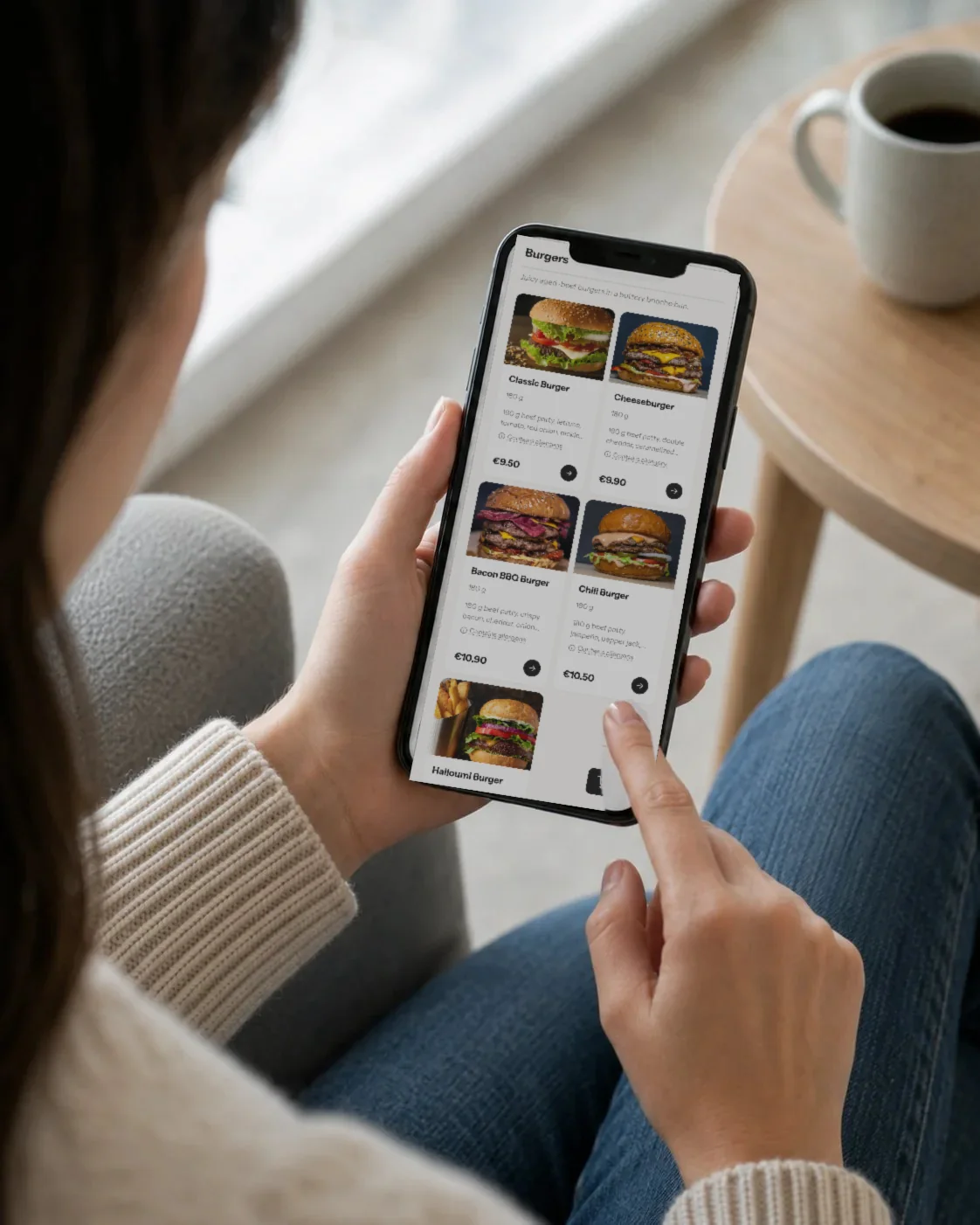
Customers order on their own
Customers choose dishes and add-ons, then pickup or delivery. The system checks the address and the available time. Staff don’t have to copy orders down from phone calls.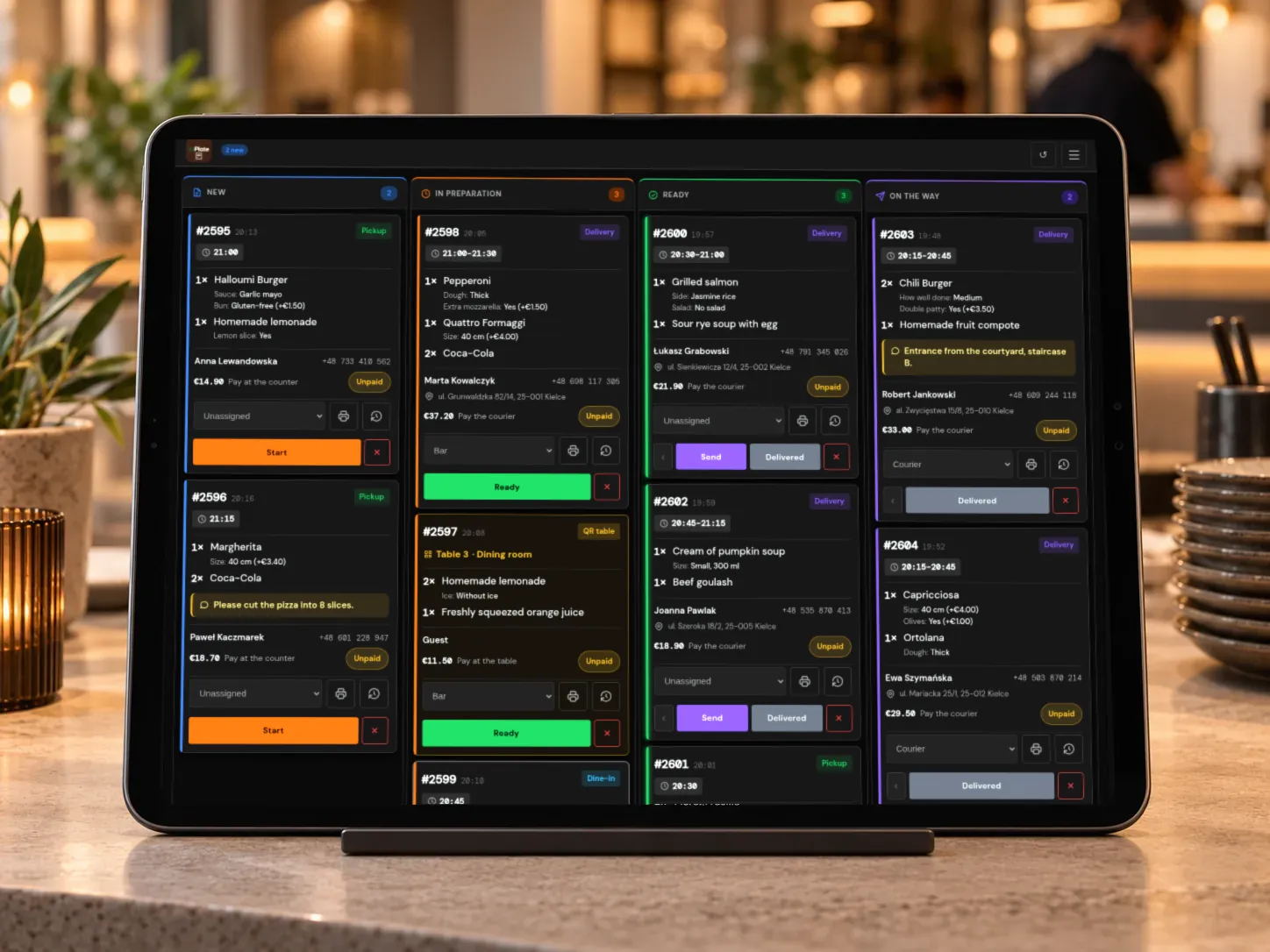
The kitchen gets every detail
A new order appears on the tablet with a sound alert. The cook sees the dishes and the customer’s notes, and changes the order status with a single tap.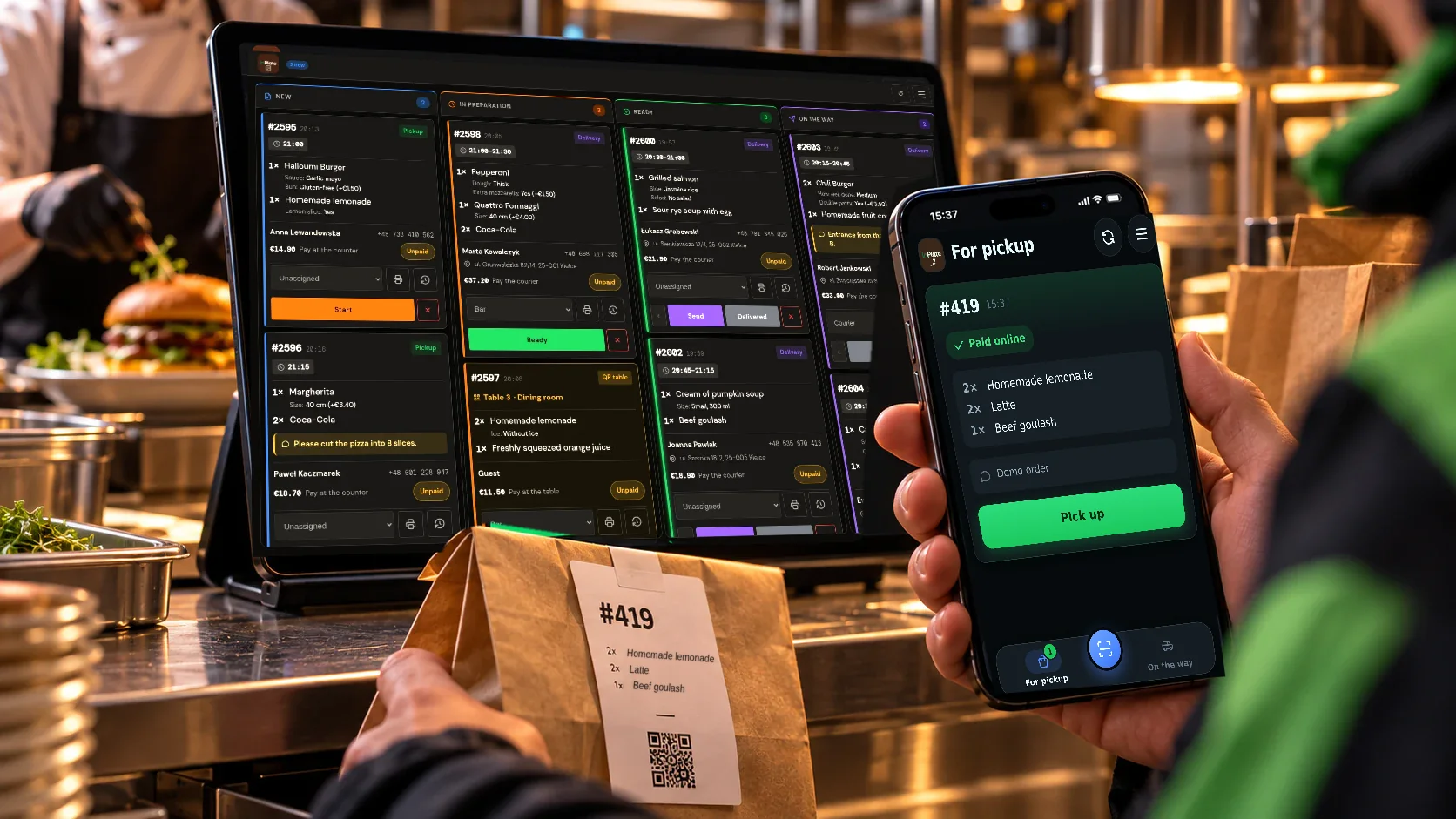
You hand over the order or pass it to a courier
When the order is ready for pickup or on its way, the customer gets an email. The courier sees the delivery address and any amount to collect on their phone.
Online menu and daily specials
Daily specials and seasonal offers, available at the right time.
Meet the dynamic menu. Add a daily special, a lunch set or a seasonal offer. Set the price, the photo and the dates it’s available. The dish appears on the menu on the day you choose, and once the offer ends, it can no longer be ordered.
Sold out? Mark the dish as unavailable
When the soup or any other item runs out, you hide it from the menu. You can make it available again later.
Variants and add-ons
Add a choice of size, sauce, spice level or ingredients to a dish, e.g. “no onion”. Surcharges are included in the price, and the kitchen sees what the customer chose.
Suggested extras
Suggest fries with a burger or a drink with lunch. Customers can add the suggested items to the cart without searching the menu again.
Burgers
Juicy aged-beef burgers in a buttery brioche bun.
Classic Burger
180 g180 g beef patty, lettuce, tomato, red onion, pickle, burger sauce.
Cheeseburger
180 g180 g beef patty, double cheddar, caramelized onion, mustard, ketchup.
Bacon BBQ Burger
180 g180 g beef patty, crispy bacon, cheddar, onion rings, BBQ sauce.
Burgers
Juicy aged-beef burgers in a buttery brioche bun.
Classic Burger
180 g180 g beef patty, lettuce, tomato, red onion, pickle, burger sauce.
Cheeseburger
180 g180 g beef patty, double cheddar, caramelized onion, mustard, ketchup.
Bacon BBQ Burger
180 g180 g beef patty, crispy bacon, cheddar, onion rings, BBQ sauce.
Chili Burger
180 g180 g beef patty, jalapeño, pepper jack, roasted pepper salsa, sriracha mayo.
Pickup · Delivery · QR table
Pickup and delivery on your venue’s terms.
You decide whether customers can order for pickup, delivery, dine-in or with a QR code at the table. The system checks the hours, the address and the minimum order value.
Pickup
Customers choose a time and get an email when their order is ready.
Delivery zones
Draw delivery zones on a map. Set a separate fee and minimum order amount for each one.
Dine-in
Orders for your dining room, with their own hours and time windows.
QR table
Customers scan the code, order and pay. The kitchen sees the table number.
Kitchen display (KDS)
Every order on the kitchen display.
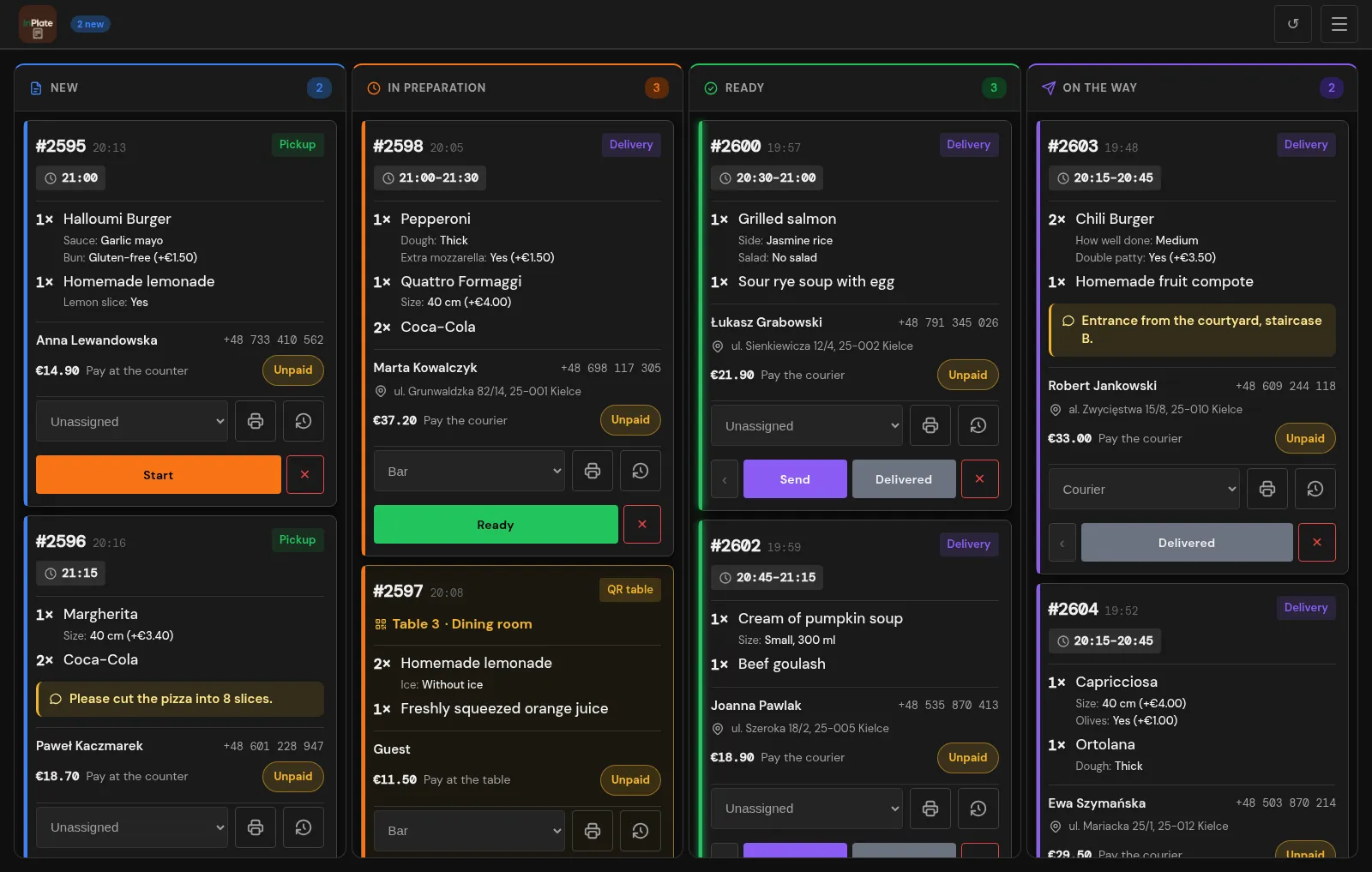
A new order appears in the kitchen with a sound alert. Staff change its status from “New” to “In preparation”, and then to “Ready”. For pickup orders, the customer gets an email saying the food is ready to collect.
| No. | What you see on the board |
|---|---|
| 1 | Orders by status |
| 2 | New order alert |
| 3 | Pickup or delivery |
| 4 | Order details on tap |
| 5 | Assigning an order to a staff member |
| 6 | One-tap status change |
| 7 | Label with a QR code |
| 8 | Order history |
For the whole team
Separate tools for the kitchen, service staff and couriers.
The kitchen display, management panel, courier app and menu on TVs all come with one license. You can give each staff member the right permissions.
Manager panel
Change the menu, prices, promotions and ordering hours from a tablet or phone. No need to open the WordPress admin.
Courier panel
Couriers see orders ready for delivery, addresses and amounts to collect. They can also open navigation to the customer.
Menu on TV screens
Show your menu and prices on screens in your venue. Changes you make in the panel appear on them automatically.
WordPress and WooCommerce
Orders on your website, with WordPress and WooCommerce.
WooCommerce handles products, the cart, orders and payments. WP InPlate adds features for food businesses, such as fulfillment windows, delivery zones, the kitchen display and the courier panel.
Customer data on your server
Orders and customer data stay in your WordPress database.
Prices checked on the server
The server checks prices, add-on surcharges, delivery rules and fulfillment times. It doesn’t rely on data sent from the browser for these calculations.
WooCommerce
A free plugin that handles products, the cart, orders and payments.
WordPress editor blocks
You can place the menu, the cart and the delivery check on any page with Gutenberg blocks.
Online payments
Payments through WooCommerce gateways such as Przelewy24, Stripe or PayU, as well as cash.
OpenStreetMap
Address checks against your delivery zones. No Google Maps key needed.
Cost comparison
See what order commissions cost you.
A third-party platform can help you reach new customers, but it charges fees according to its own price list. On your own website, you pay WP InPlate no commission on orders. Do factor in the cost of the license, online payments and delivery, though.
- Example platform commission range
- 15–30%
- WP InPlate commission per order
- 0%
- Monthly commission at 20%
- ≈ $750
- Example: 300 orders × $12.50 average order value. The result depends on your sales volume and the commission rate.
- Free trial, no card required
- 30 days
| Delivery platform | WP InPlateon your WordPress website | |
|---|---|---|
| Costs | ||
| Commission per order | 15–30% | 0% |
| Fixed license price | No | Yes |
| Customers | ||
| Customer data stays with you | No | Yes |
| New customers found through the platform | Yes | No |
| Operations | ||
| Kitchen display | Varies | Yes |
| Your own couriers and zones | Varies | Yes |
| Fiscal receipts or POS | No | No |
Customer reviews
“WP InPlate is exactly what we were looking for. Our bistro has a different menu every day, and we wanted updating it to be as simple as possible. Now it takes just a few moments to add new dishes or change prices and availability. Guests always see what we have that day, and we don’t waste time constantly fixing the website. For us, it simply makes things much easier.”
 Piotr PołanieckiHead chef, bistrookraglak.pl
Pricing
One license covers every module.
If your license expires on a Friday at 12:00, the system won’t stop taking orders. A grace period applies first, and once it ends, access to some admin features is limited.
The first 14 days
Everything works exactly as before, and you have time to renew.
After the grace period
The menu, ordering, kitchen display and courier panel keep working. What you can’t do is change some settings or use TV screens, updates and support.
After renewal
Once you renew your license, you get your features and updates back without reinstalling.
Every module in one license
Standard
One venue, one WordPress website.
$149/ year + VAT
Or $14.99 / month + VAT. 0% commission on orders. 30-day free trial, no card required.
- Online menu, order form, pickup and delivery
- Dish sizes, add-ons and happy hours
- Delivery zones, time windows and order minimum
- Kitchen display (KDS) and courier panel
- Table ordering with a QR code
- Menu on TV screensAny number of screens, including older Smart TVs.
- Updates and support during the license period
FAQ
Questions about WP InPlate and online ordering.
Didn’t find your answer? Write to us. We’ll answer your questions about the product.
Take orders on your restaurant’s own website.
For 30 days you can try WP InPlate with your own menu, pickup times, delivery and kitchen display. If you need help getting started, get in touch.
No card required. Cancel anytime.