
WP InPlate for cafés
Online ordering for cafés, with pickup at a chosen time.
A customer orders breakfast and coffee for 8:15. Staff see the order on a tablet, and the guest picks it up at the chosen time. The offer of the day can also appear on the screen by the counter.
No card required · Every module included · 0% commission

Challenges in your venue
Coffee and breakfast to go, without a long wait.
In the morning rush, between 7:45 and 9:00, customers are often hurrying to work. Ordering ahead helps you have the coffee and breakfast ready for the chosen time.
A queue in the morning rush
A long queue can put off people who just want to grab a coffee to go.
The offer of the day on a slip of paper
The offer of the day changes in the café, but the website still shows an outdated menu.
Questions about ingredients
A customer at the counter can’t see the dish labels and has to ask about the ingredients or the type of product.
The board by the counter
After every price change, you have to correct the printed menu or the board by the counter.
How it looks in practice
A sample morning at a café.
7:00 · Cake of the day on the menu
A staff member adds the cake and the breakfast of the day in the panel on the tablet, setting when they’re available.7:40 · An order on the way to work
The customer chooses a coffee and a sandwich for pickup at 8:15. The system takes the preparation time into account.8:10 · A tablet behind the counter
The kitchen display sounds a new order alert. Staff change the status to “In preparation”, and then to “Ready”. The customer gets an email.8:15 · Pickup at the chosen time
The order waits in a bag with a label. The customer picks it up at the counter at the chosen time.All day · A screen by the counter
The screen shows the menu with prices, a “Today’s pick” label and the type of each dish.
Useful features
What makes work in your venue easier.
A breakfast menu, an offer of the day and pickup at a chosen time. One license covers every module.
Pickup at a chosen time
Pickup at a chosen time and a “Ready for pickup” email.
Daily special
Cake of the day, breakfast of the day, soup of the day, all disappearing on their own.
TV screens
A menu on the screen by the counter, with “TV only” categories, e.g. for drinks from the fridge.
Online menu
Veggie, vegan and gluten-free tags and the weight next to each dish.
Kitchen display (KDS)
A tablet behind the counter instead of slips by the coffee machine.
Manager panel
Turn off a cake that has sold out with one tap.
Cost comparison
How much do order commissions cost?
This is a sample calculation. Enter your monthly number of orders, the average cart value and the commission rate to estimate the cost of using a platform.
- Example platform commission range
- 15–30%
- WP InPlate commission per order
- 0%
- Monthly commission at 20%
- ≈ $450
- Example: 250 orders × $9 on average. Your numbers will be different.
- Free trial, no card required
- 30 days
How to start
From setup to the first order.
The wizard guides you through setting up the system. To start, you only need to set three basic things.
Turn on pickup and short time windows
For example, every 10 minutes, with a 10-minute preparation time.
Add tags
Veggie, vegan, gluten-free, with an icon. Customers see them on the menu and on the screen.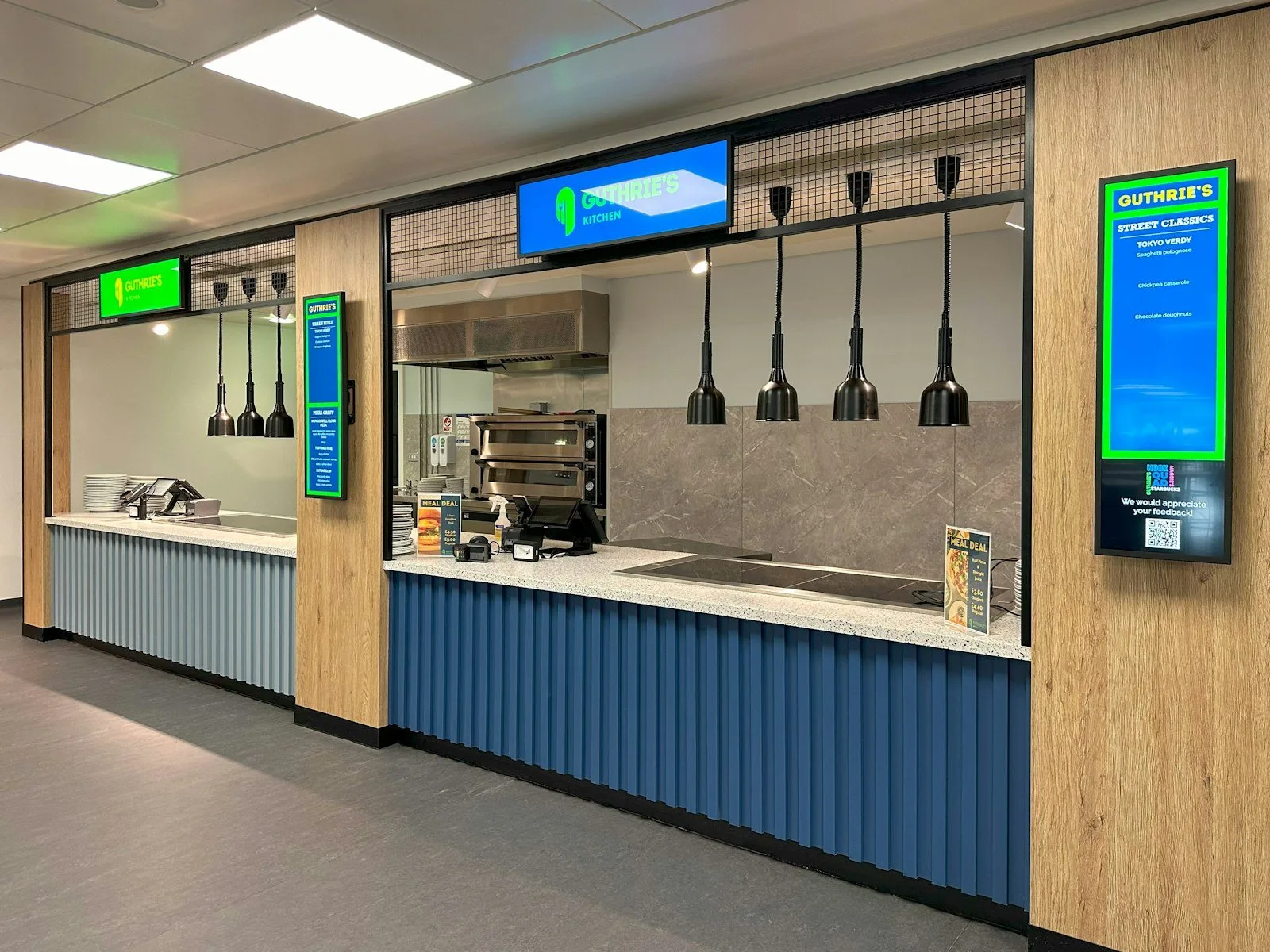
Connect a screen
A TV by the counter with a list of dishes and a slideshow of cake photos.
Good to know
What WP InPlate won’t replace.
No loyalty program
WP InPlate doesn’t run loyalty cards or points.
It doesn’t replace your cash register
You ring up counter sales in your cash register as before.
No kiosk
The self-service kiosk is in the works and isn’t part of the offer today.
FAQ
Frequently asked questions about online ordering.
Didn’t find your answer? Write to us. We’ll answer your questions about the product.
Other kinds of venues
How other venues use WP InPlate.



Take orders on your restaurant’s own website.
For 30 days you can try WP InPlate with your own menu, pickup times, delivery and kitchen display. If you need help getting started, get in touch.
No card required. Cancel anytime.