
WP InPlate for restaurants with their own delivery
Online delivery orders on your restaurant’s website.
Divide your delivery area into zones. For example, in the city center set a €40 minimum and €5 delivery, and in the outer districts a €70 minimum and €10 delivery. The courier gets the address, the amount to collect and access to navigation.
No card required · Every module included · 0% commission

Challenges in your venue
Set delivery rules that make sense for your venue.
Delivering a small order to the other side of town may not pay off. That’s why in WP InPlate you set the delivery area, its price and the minimum order value.
Unprofitable trips
An order from far away can mean a costly trip, especially when its value is small.
Middleman and delivery fees
Depending on the contract, a third-party platform or delivery operator charges fees for handling the order.
Mistakes in delivery addresses
A wrong building number or a missing apartment number can end with an extra call from the courier.
Nobody knows what’s on the way
When orders are written on slips of paper, the kitchen, the till and the courier can have different information about the same delivery.
How it looks in practice
How a delivery order goes.
Once · You draw the zones
Set delivery zones as circles or areas on the map. For each, set the fee, the minimum amount and the priority.17:30 · The customer checks the address
The customer checks the delivery fee and the minimum order amount right away. If they’re outside the zone, they can choose pickup.17:32 · Topping up to the minimum
If the order is €8 short of the required amount, the customer can add an item or, if you allow it, pay the difference.18:00 · Ready for delivery
The courier sees an order ready for delivery, takes it and changes the status to “On the way”. The customer gets an email.18:20 · Delivered or failed
In the panel, the courier marks the delivery as delivered or reports a delay or a failed attempt. The history records the reason.
Useful features
What makes work in your venue easier.
Checking the address, accepting the order and changing the status to “Delivered” all happen in WP InPlate. One license covers every module.
Delivery zones
Set fees, minimum amounts and the order of the zones. You can also turn on topping up to the order minimum.
Courier panel
The courier has the orders to deliver, addresses, amounts to collect and navigation on their phone.
Schedule and ordering hours
Separate hours and time windows for delivery and pickup.
Kitchen display (KDS)
Orders “On the way” show in the KDS together with the assigned courier.
Payments
Online payment or cash on delivery. The kitchen sees which orders haven’t been paid.
Pickup at a chosen time
For customers outside your delivery zones, you can offer pickup.
Cost comparison
How much do order commissions cost?
This is a sample calculation. Enter your monthly number of orders, the average cart value and the commission rate to estimate the cost of using a platform.
- Example platform commission range
- 15–30%
- WP InPlate commission per order
- 0%
- Monthly commission at 20%
- ≈ $1,225
- Example: 350 orders × $17.50 on average. Your numbers will be different.
- Free trial, no card required
- 30 days
How to start
From setup to the first order.
The wizard guides you through setting up the system. To start, you only need to set three basic things.

Draw the zones
To begin, create two zones, a nearer and a farther one. You can change the delivery fee and the minimum order amount in each later.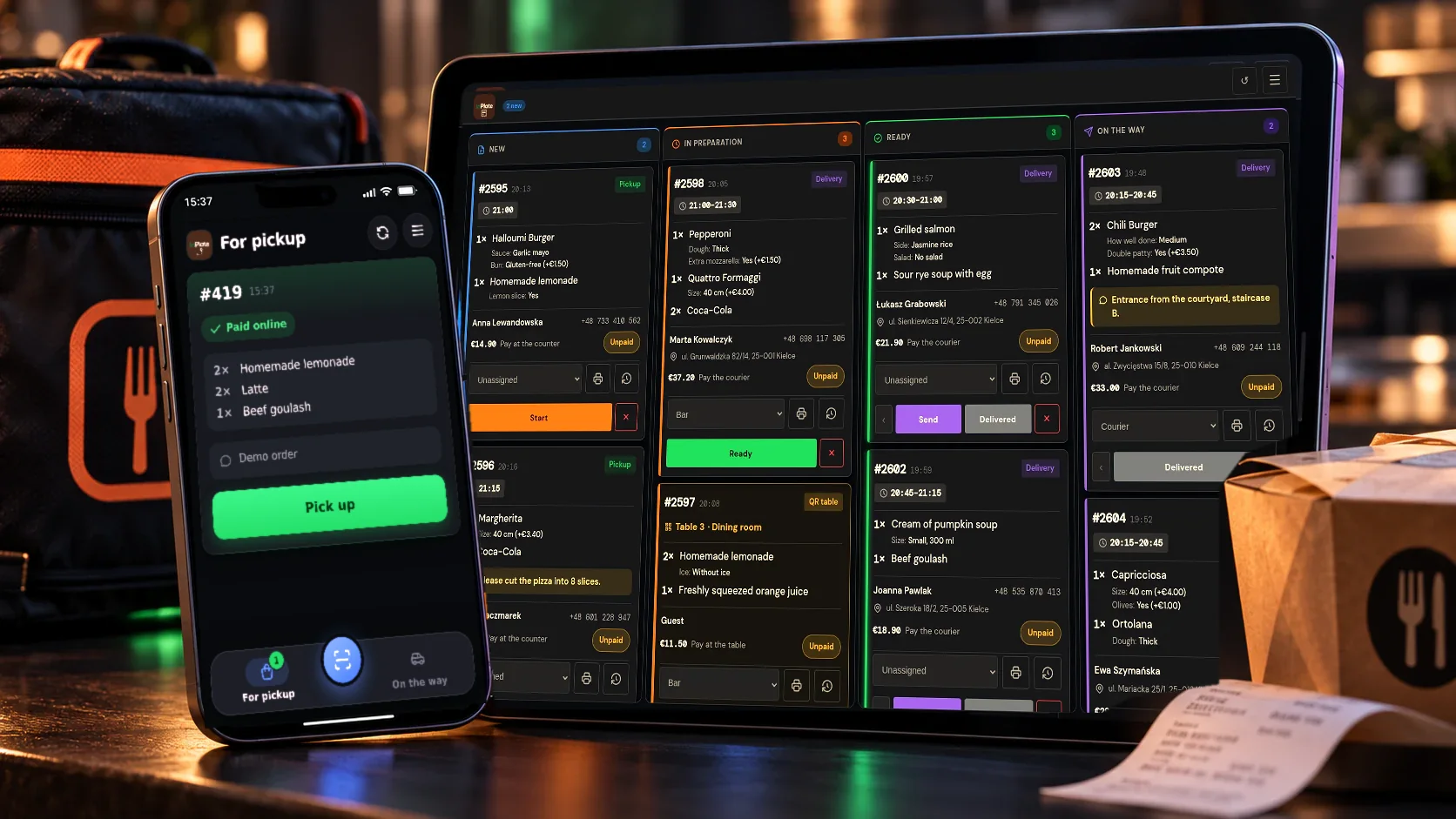
Add courier accounts
A staff member with the “Courier” role can access the orders and the details needed to deliver them.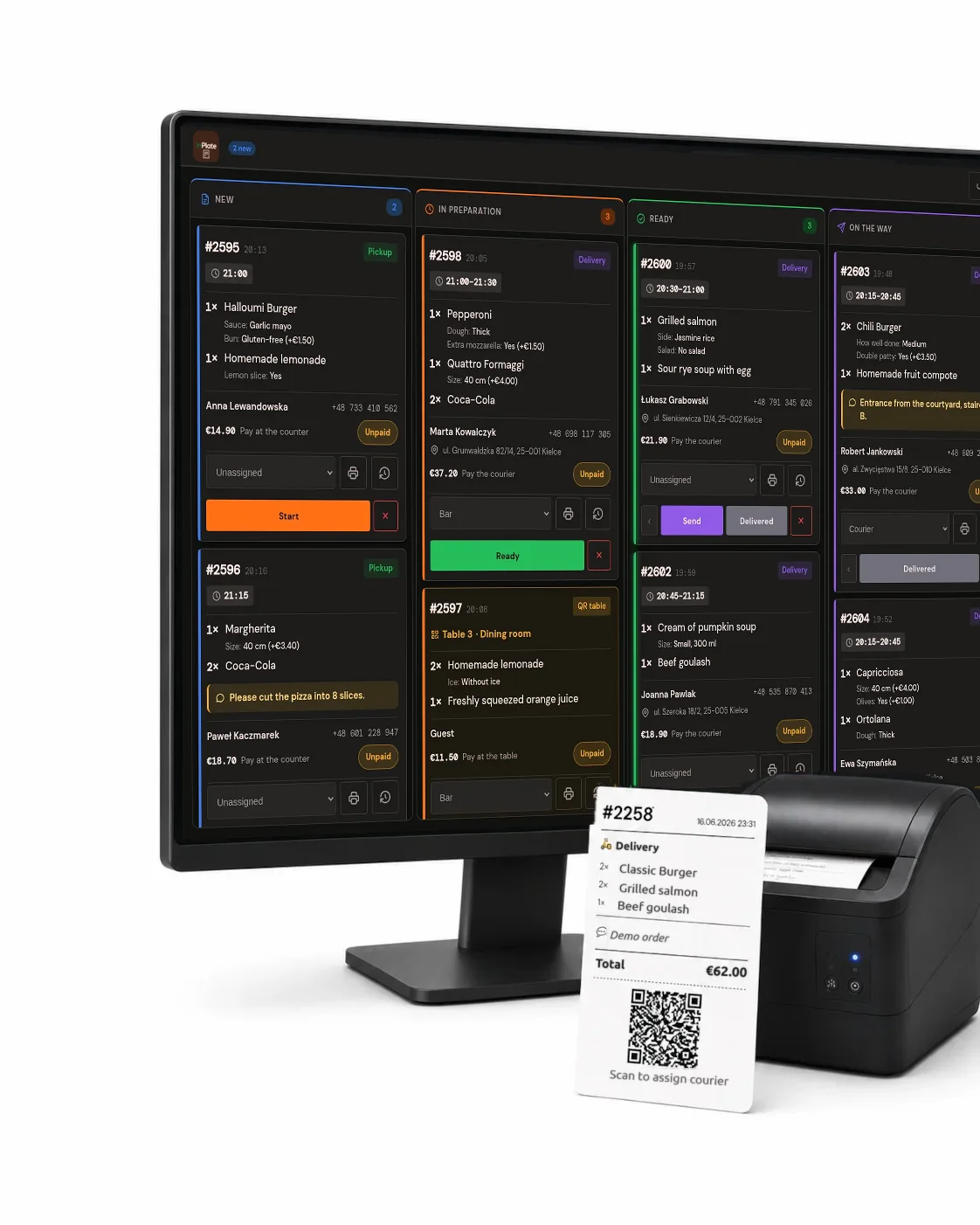
Print QR labels
After scanning the QR code on the bag, the courier can open the right order in the app.
Good to know
What WP InPlate won’t replace.
No live tracking for customers
Customers get order status emails. WP InPlate doesn’t offer a map with the courier’s current position, though.
No external fleet
WP InPlate doesn’t provide couriers. The courier panel is for handling your own deliveries.
No app store app
The courier panel works as a web app (PWA) that can be added to a phone from the browser.
FAQ
Frequently asked questions about online ordering.
Didn’t find your answer? Write to us. We’ll answer your questions about the product.
Other kinds of venues
How other venues use WP InPlate.



Take orders on your restaurant’s own website.
For 30 days you can try WP InPlate with your own menu, pickup times, delivery and kitchen display. If you need help getting started, get in touch.
No card required. Cancel anytime.