
InPlate Restaurant · free
A free WordPress theme for restaurants.
A ready venue website in minutes: home, menu, about us, gallery, catering and contact pages. Pick your type of venue and the theme sets the colors, fonts and welcome photo. It works on its own, and with WP InPlate it takes online orders.
Free · GPL license · version 1.1.1 · Zip, 1.9 MB
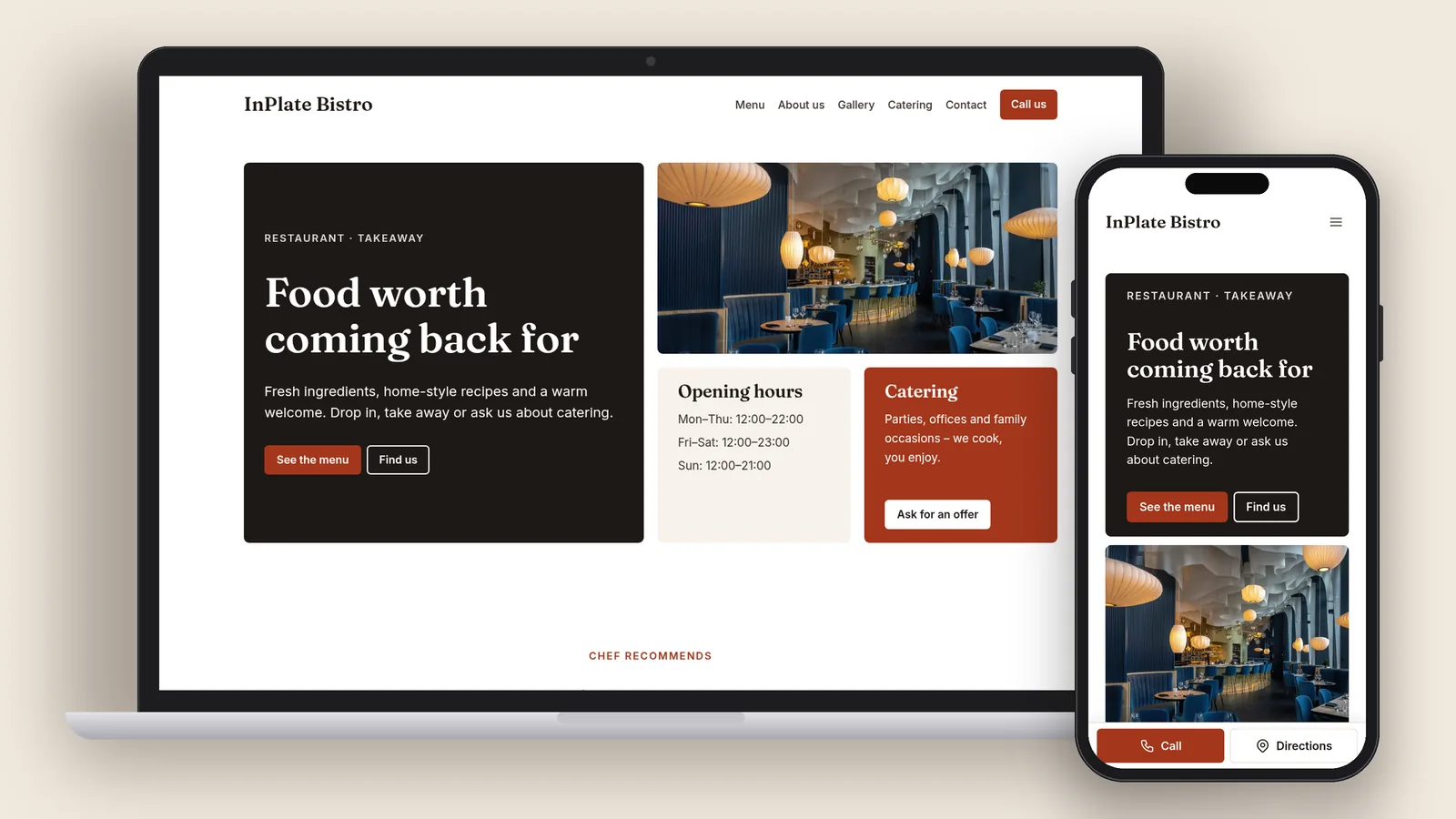
8 types of venue
Pick your type of venue. The theme does the rest.
One choice in the Customizer changes the colors, fonts, button shape, welcome layout and photo. Your own color and font changes stay.
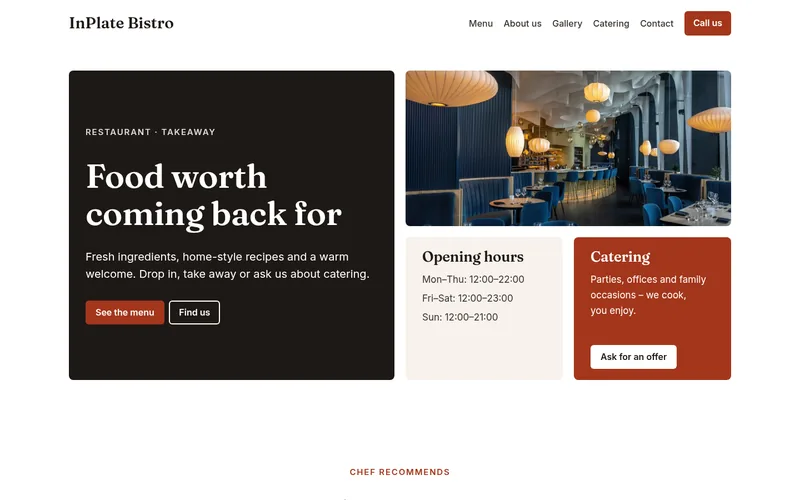
Restaurant
A bento grid with opening hours and catering, warm red and classic fonts.
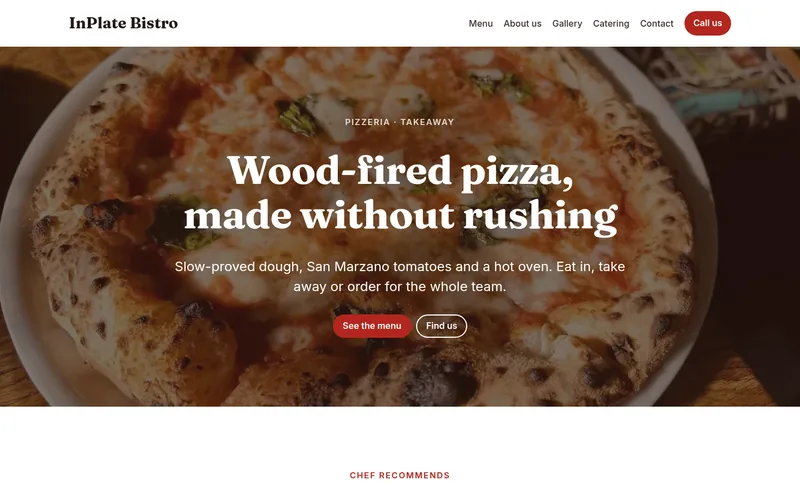
Pizzeria
Text on a wood-fired pizza photo, bold red and rounded buttons.
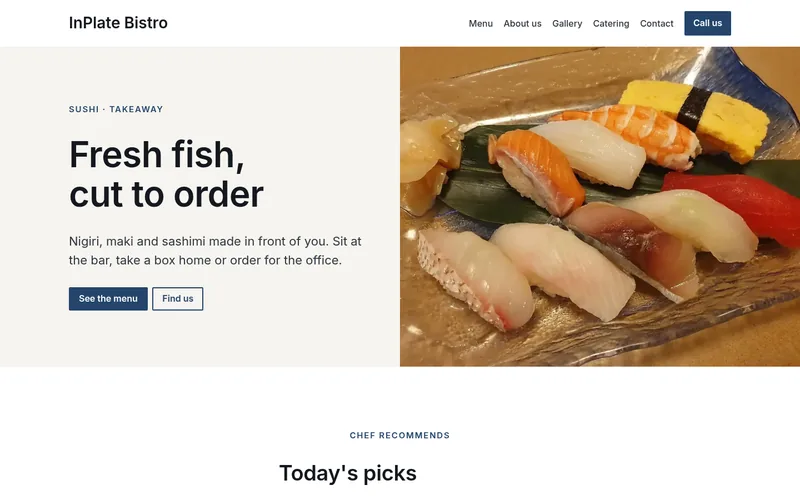
Sushi
Text and photo side by side, navy blue and restrained type.
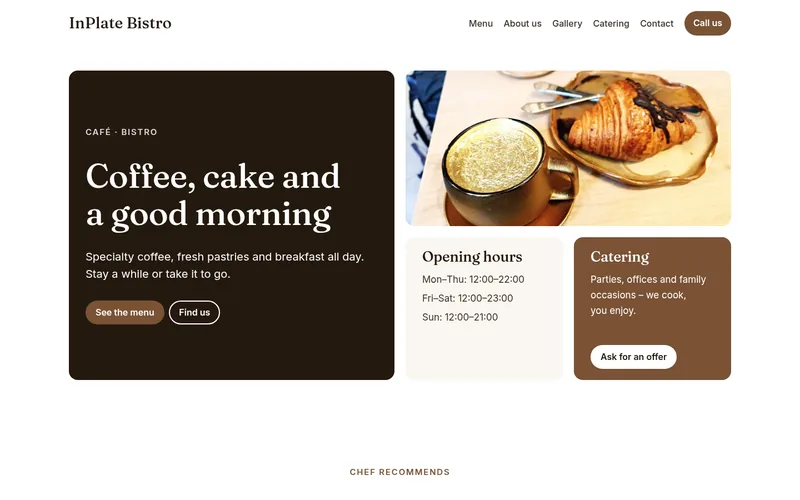
Bistro / café
A bento grid, coffee browns and soft shapes.
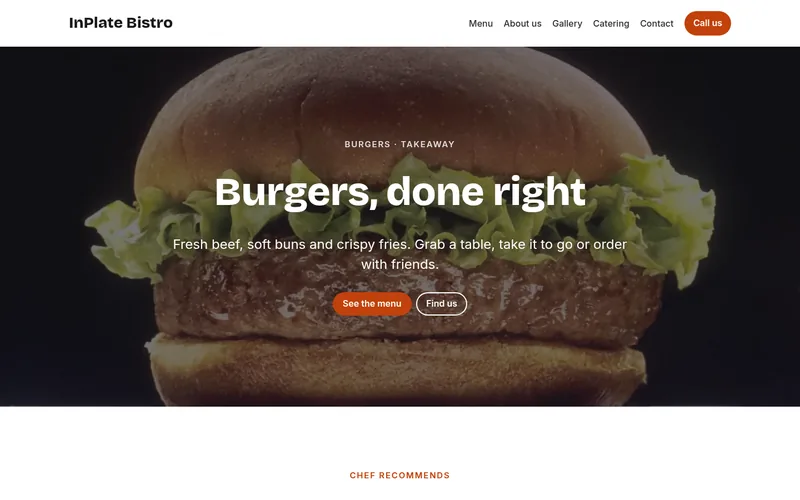
Burgers / street food
Text on the photo, orange and strong headings.
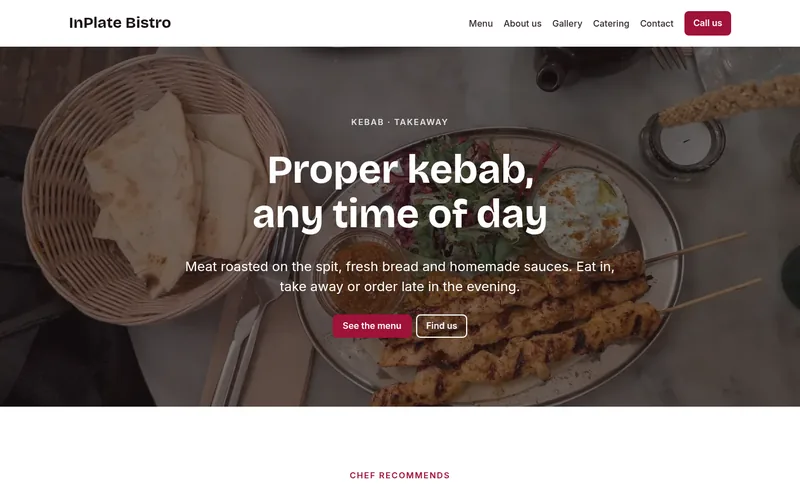
Kebab
Text on the photo, deep red and large buttons.
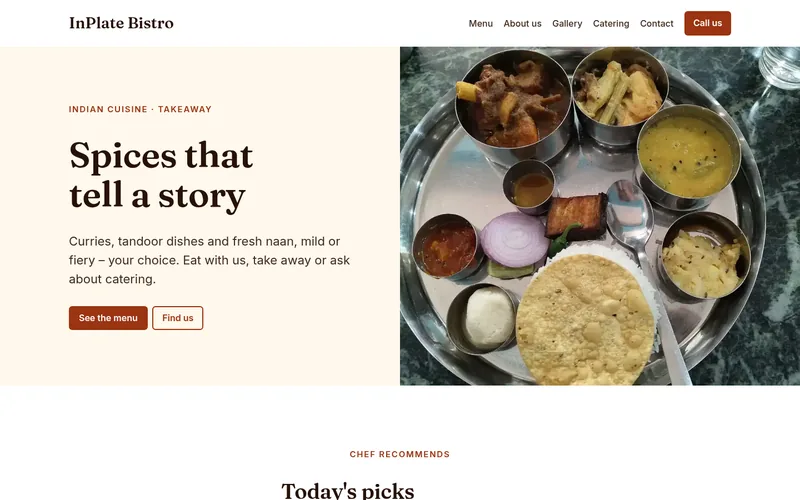
Indian cuisine
Text and photo side by side, warm spice colors.
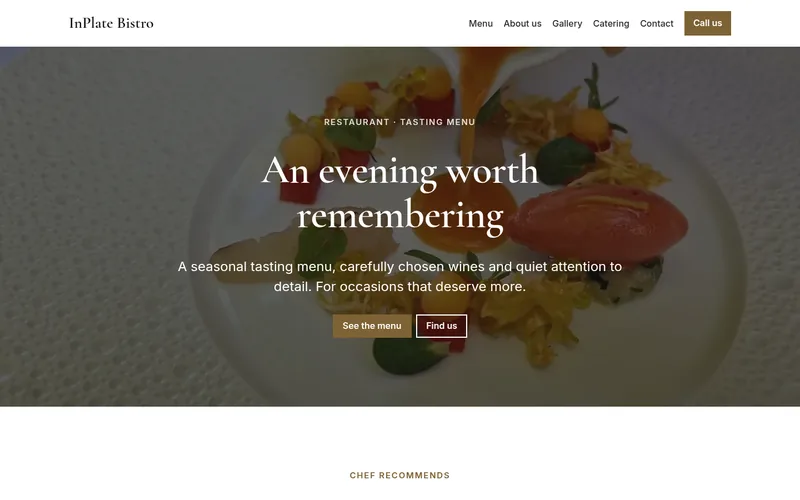
Fine dining
Text on the photo, muted gold and elegant fonts.
Ready pages
A complete restaurant website from the first click.
After installing, open the Customizer and you see a ready website. Click “Publish”, then replace the texts, prices and photos with your own.
Home
A welcome section in the layout of your type of venue, recommended dishes, a few words about the venue, a gallery, guest reviews, catering, opening hours and directions.
Menu
A menu with categories, prices and dietary labels. With WP InPlate, this is where customers order online.
About us
The venue’s story, values and team.
Gallery
Photos of dishes and the interior, laid out well on phones too.
Catering
Packages for parties and companies, with a button to ask for an offer.
Contact
Address, phone, opening hours and an “Open in maps” button, with no embedded map and no third-party cookies.
What you get
Everything a restaurant website needs.
Phone first
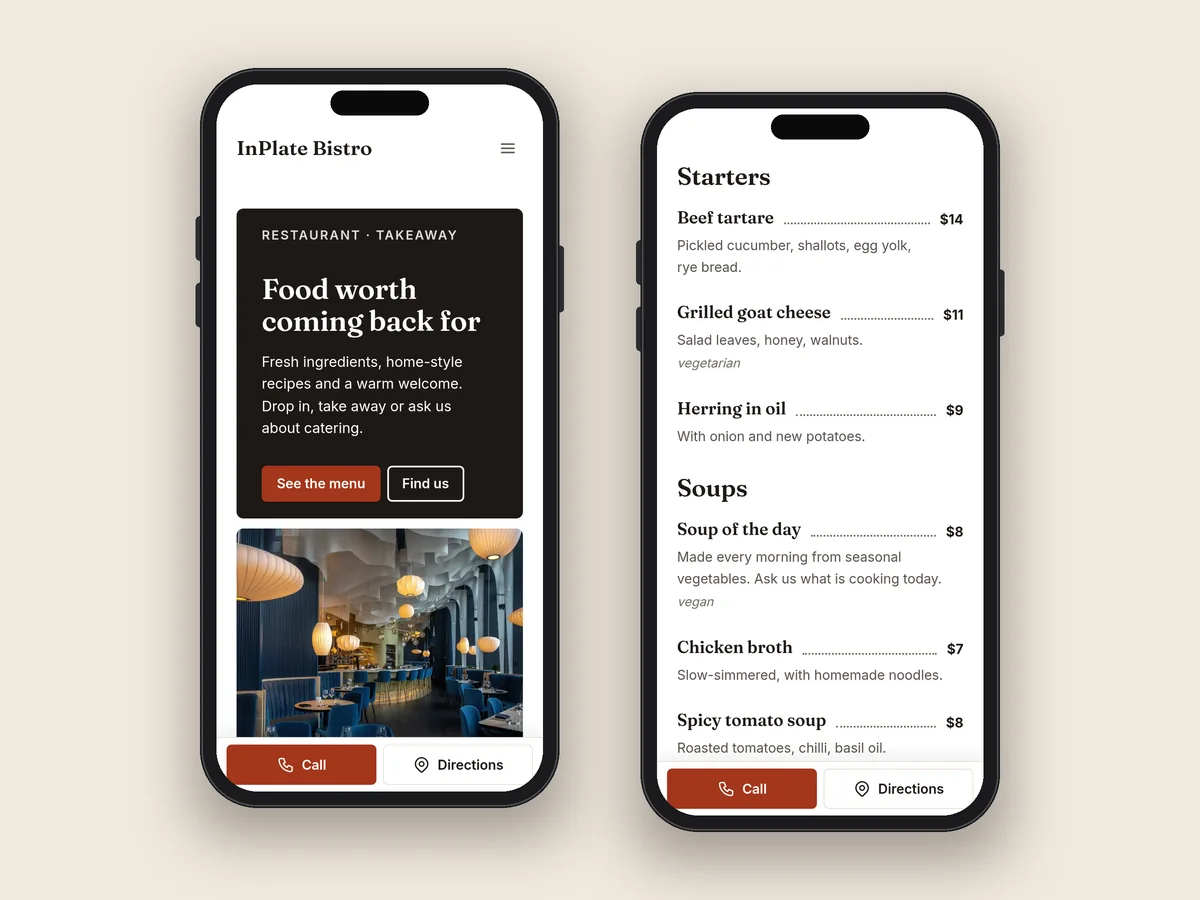
A “Call us” button in the header and a “Call / Directions” bar at the bottom of phone screens, always within reach of the thumb.
Opening hours in one place
Enter them once in the Customizer: “Every day”, or separate rows for the weekend. The footer and the contact page follow.
Section library
Ready patterns in the editor: three welcome layouts, menu, gallery, reviews, catering, opening hours and contact.
Accessibility
Contrast, headings and keyboard navigation checked with axe against WCAG 2.1 AA.
No data sent elsewhere
Fonts, icons and photos come with the theme. The site loads nothing from Google or map services until a guest clicks.
In Polish and English
The admin screens and theme texts come in both languages. You can add more translations the usual way.
Three welcome layouts
Choose how your venue greets guests.
Each type of venue starts with its own layout, and in the block editor you can insert any of the three. The photo and texts change with the type of venue.
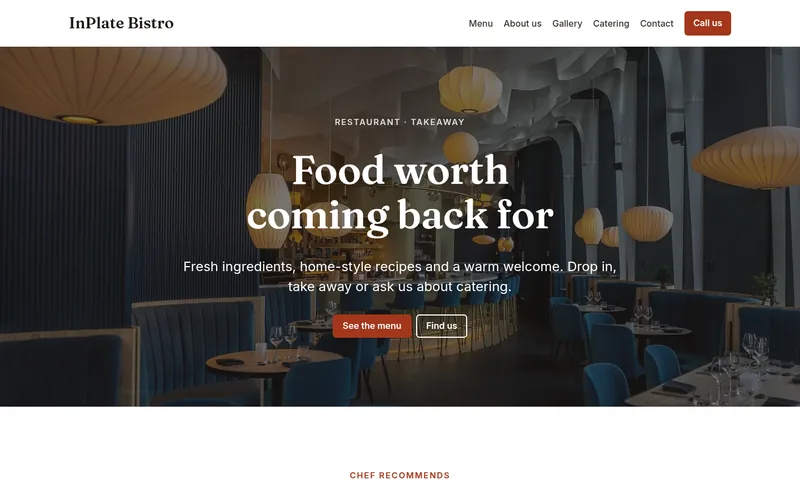
Text on the photo
A large full-width photo with centered text. The strongest first impression.
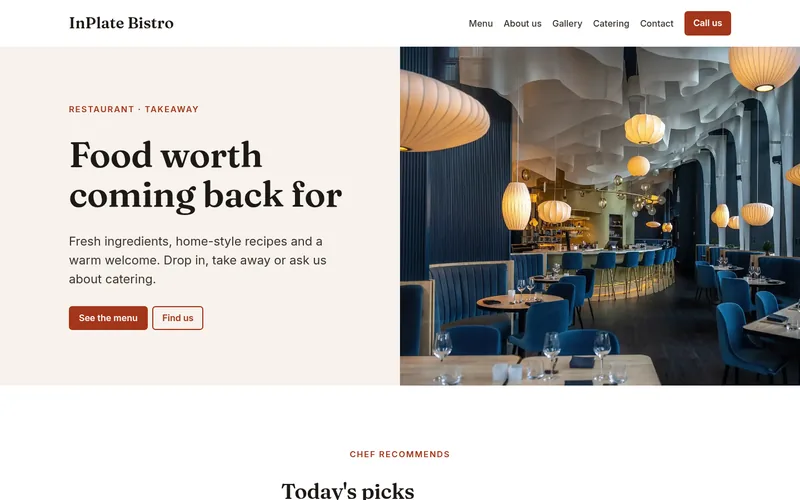
Text and photo side by side
Half and half: the welcome on the left, the photo on the right. On phones the photo moves below the text.
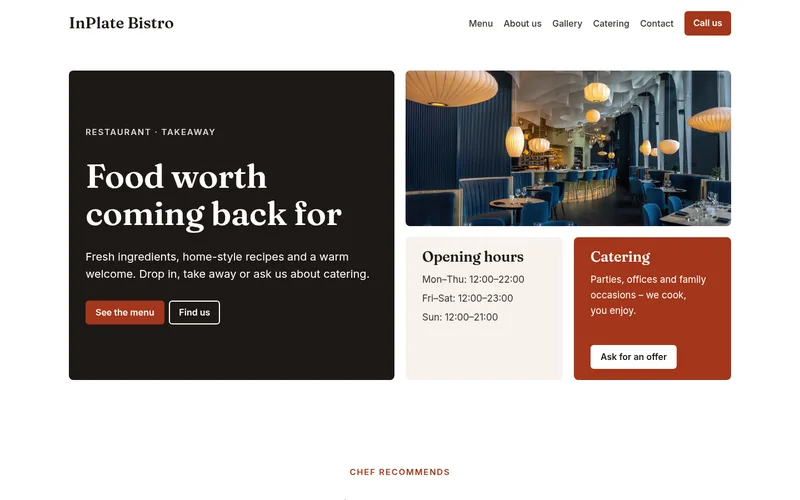
Bento grid
A welcome tile, a photo, opening hours and catering in a modern grid.
On phones
Most guests look for a restaurant on their phone.
Call and directions within reach of the thumb
The bar at the bottom of the screen goes straight to a call or to the map.
A readable menu
Large text, prices on the same line as the dish name and clear dietary labels.
Fast loading
A light theme built on Kadence, with fonts and photos served from your own server and no unnecessary scripts.
With WP InPlate
Add online ordering whenever you are ready.
The theme works on its own. When you turn on WP InPlate, the website takes orders with no commission, and the menu, cart and checkout look like the rest of the website.
The theme’s look in ordering
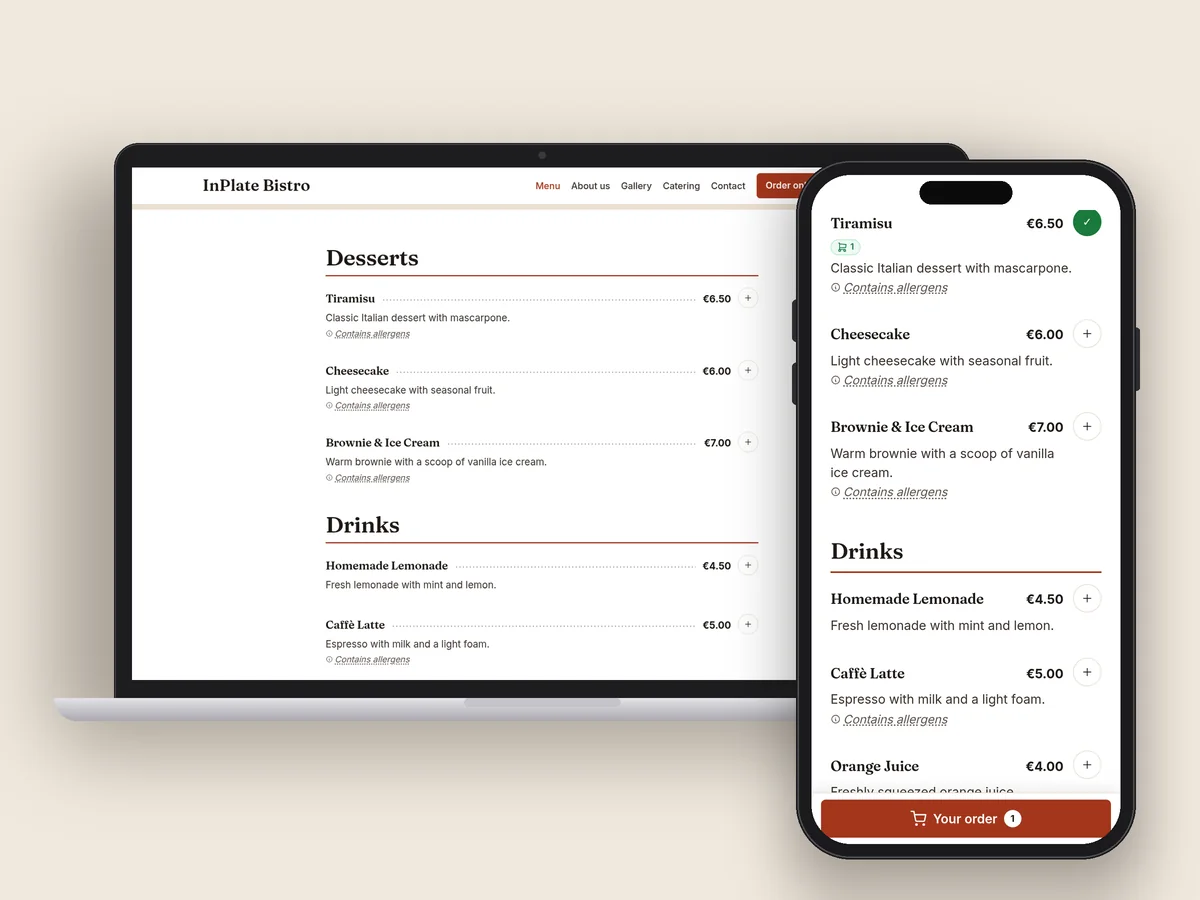
The menu, cart and checkout take the colors, corners and fonts of your type of venue.
Order online and the cart in the header
An “Order online” button and a cart with the item count, on computers and phones.
The cart in the phone bar
On the menu page, the bar at the bottom of the screen becomes a “Your order” button.
Ordering status on the home page
Under the order button, guests see whether you are taking orders right now.
One menu page
With your consent, the theme turns the sample menu into the ordering menu, with no second page.
Installation
From download to a ready website in minutes.
Download the theme
A zip file from this page. Do not unzip it.
Upload it in WordPress
Appearance → Themes → Add New Theme → Upload Theme. The Kadence parent theme installs itself.
Activate it and open the Customizer
Pick your type of venue, enter your phone number, address and opening hours, then click “Publish”.
Replace the content
Change the texts, dishes and photos to your own. The Welcome screen in the admin guides you step by step.
What you need
Any standard WordPress hosting will do.
WordPress 6.6 or newer
The theme uses the block editor and page patterns.
PHP 8.1 or newer
Standard on today’s hosting. You can check it in your hosting panel.
Kadence from the WordPress directory
The free parent theme. It installs automatically with InPlate Restaurant.
FAQ
Questions about the theme.
Can’t find an answer here? Write to us.
Build your restaurant website today.
Download the theme for free. When you want to take online orders, try WP InPlate free for 30 days.
Theme: free, no sign-up. WP InPlate: no credit card required.